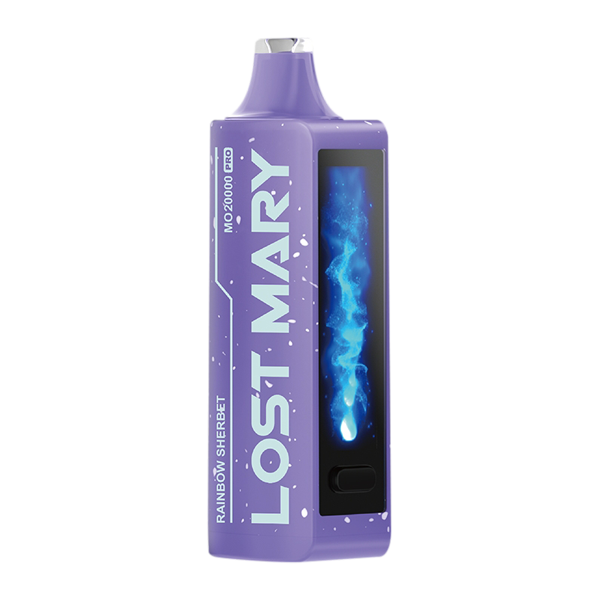
How to Prevent Performance Drops in the Lost Mary MO20000 Pro?
Performance degradation in the Lost Mary MO20000 Pro rarely appears suddenly; it emerges from a combination of battery wear, mechanical issues, and user habits that compound over time. Preventing drops requires attention to charging behavior, thermal management, maintenance, and component condition. The guidance below explains how each area contributes to reliable operation and how to apply practical steps that preserve consistent output and user experience.
Battery health and charging strategy
The single most influential factor in long-term performance is the condition of the internal lithium-based battery. Repeated full discharge cycles, extended periods at maximum charge, and charging under high temperatures accelerate chemical aging and reduce usable capacity. Adopt a charging strategy that emphasizes shorter top-ups during predictable downtimes rather than frequent full cycles. Avoid leaving the device connected to a charger for long stretches when it is already at full capacity, and allow the device to cool before charging if it has just had heavy use. These choices limit time spent at high voltage and reduce thermal stress, both of which slow irreversible capacity loss and keep output more consistent across the device’s life.
Thermal control during use and charging
Temperature management directly affects both immediate performance and long-term stability. High current draws during continuous heavy use can cause internal temperatures to rise, increasing internal resistance and reducing the effective power delivered to the heating element. Charging straight after such sessions compounds heat exposure; allow the device to return to a neutral temperature before connecting it to power. Charge on hard, heat-dissipating surfaces and avoid enclosed or sun-exposed spaces. Likewise, operating the device in cold environments impairs battery chemistry temporarily and can cause sagging performance until normal temperature is restored. Mindful separation of heavy use and charging, and choosing cool, ventilated locations, preserves the device’s ability to deliver steady power.
Maintain clean airflow and contacts
Mechanical cleanliness affects performance more than many users expect. Blocked airways, dirty mouthpieces, or loose internal fittings change airflow dynamics and the thermal load on the heating element. Poor contact at the charging port or connector increases resistance, which produces heat during charging and reduces the efficiency of energy transfer. Regularly inspect and gently clean the mouthpiece, airway, and charging port using appropriate low-risk methods to remove lint and residue. Secure, clean connections support stable charging and steady power delivery to the heater assembly, preventing inconsistent heating and perceived performance drops.
Consumables and component inspection
Worn or degraded consumable parts influence the way power translates into vapor and flavor. Coils or heating elements that age or accumulate residue require higher energy for the same output, stressing the battery and producing weaker vapor when the device’s available voltage is limited. Replace consumables according to the manufacturer’s guidance or sooner if performance falters. Inspect seals and O-rings for degradation that can cause leakage or altered airflow. Small mechanical failures often precede electrical symptoms; preemptive replacement of aging parts mitigates downstream performance problems and maintains the intended output characteristics.
Detect and address mechanical anomalies early
Odd noises and physical sensations often indicate emerging faults that will later affect performance. If you find yourself asking whether are rattling sounds normal in your vape? treat the question as a prompt for inspection. Rattles can signal loose internal components, failing baffles, or damaged mounts, all of which can change the way the heating element is supported and ventilated. Early identification allows corrective action—tightening, repositioning, or replacing small parts—before the issue affects electrical delivery or produces uneven heating that degrades user experience.
Optimize usage patterns to reduce stress
How you use the MO20000 Pro shapes stress on both the battery and mechanical components. Long, continuous high-power sessions increase thermal load and accelerate wear on the heating element. Interspersing sessions, moderating puff length, and allowing short cooldowns between heavier uses reduce cumulative thermal strain. When consistent high output is required, plan periodic lower-intensity use to give components a chance to recover. These behavioral adjustments extend component life and maintain more consistent vapor production without compromising convenience.
Firmware, diagnostics, and manufacturer updates
Software-level improvements sometimes refine charging profiles, thermal management, and power delivery behavior. Check for firmware updates or diagnostic tools if the manufacturer provides them; these updates can correct inefficiencies and improve the way the device negotiates charging currents or manages thermal cutoffs. Use official diagnostics to interpret abnormal behavior before replacing hardware. When firmware updates are available, apply them during cooled, stable conditions and follow the provider’s instructions to avoid bricking or interrupting crucial processes.
Storage and long-term care
When the MO20000 Pro will be unused for extended periods, prepare the battery and components to reduce deterioration. Store the device at a moderate state of charge, ideally near mid-level rather than fully charged or depleted. Keep the device in a cool, dry place with periodic checks and top-ups as needed to prevent deep discharge. Proper long-term storage prevents capacity loss that manifests as poor runtime and reduced peak performance when the device returns to use.
Safety checks and replacement thresholds
Persistent overheating, drastic runtime reduction, swelling, or unusual odors are safety signals that demand immediate attention and discontinuation of use. These indicators often mean the battery or another critical component has failed or is unsafe. Establish replacement thresholds for the battery and consumables based on observed runtime and performance rather than arbitrary intervals. When replacement becomes necessary, source parts or service from reputable channels to avoid compounding issues with low-quality components.
Conclusion
Preventing performance drops in the Lost Mary MO20000 Pro depends on treating the device as an integrated system where charging habits, temperature, cleanliness, component condition, and software all interact. Thoughtful charging routines that minimize time at extreme states of charge, careful thermal management during both use and charging, routine cleaning and inspection of mechanical parts, and timely replacement of consumables collectively sustain reliable output. Incorporating diagnostic updates and sensible storage practices further reduces the risk of sudden declines. These practices form a cohesive care approach that keeps both electrical delivery and user experience predictable and enduring.