Common User Mistakes With the Geek Bar Pulse
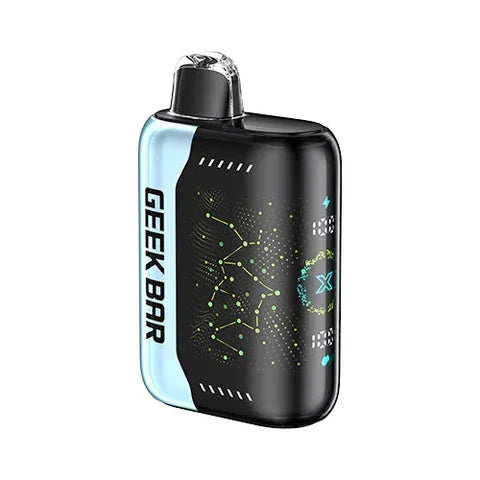
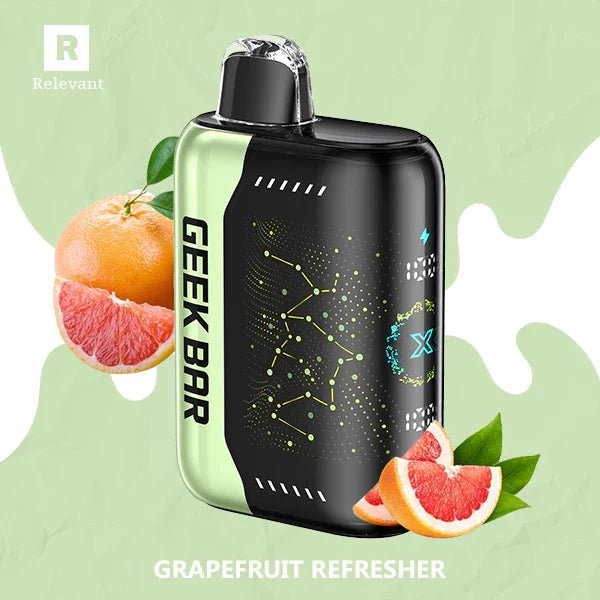
The Geek Bar Pulse delivers advanced performance through its dual mesh coils, adjustable airflow, Pulse Mode, and rechargeable 700mAh battery, yet many users undermine these features through basic operational errors. Mistakes ranging from neglecting initial setup steps to mishandling the charging process and misunderstood usage modes can significantly shorten the device's lifespan, degrade flavor quality, and reduce total puff count. Understanding these common pitfalls enables users to extract maximum value from their device while maintaining consistent performance from the first puff to the last.
Skipping Pre-Use Setup and Verification Steps
One of the most frequent mistakes occurs before the device is even used. Many users fail to remove the silicone plugs or protective stickers from the mouthpiece and airflow vents immediately after unboxing. These barriers block airflow entirely, preventing the device from firing and creating confusion about whether the device is defective. Checking the battery percentage on the 3D-curved display before starting is equally critical, as beginning with a depleted battery can cause poor initial performance and unnecessary stress on the cell.
Another overlooked step is adjusting the airflow ring to match personal preference. Some users leave it at the factory default without testing different settings, resulting in a draw that feels too tight or too loose for their comfort. Taking slow, steady puffs rather than hard, rapid draws helps the dual mesh coil heat evenly and delivers better flavor without overwhelming the system. Rushing through these initial setup steps prevents users from establishing the baseline performance the device is designed to provide.
Misunderstanding Pulse Mode and Its Battery Impact
The Geek Bar Pulse features two operating modes: Regular Mode for cooler,节约 battery hits and Pulse Mode for intense vapor production with dual mesh coils activated. A common mistake is keeping Pulse Mode enabled continuously, which drains the battery significantly faster than necessary. Users who rely heavily on Pulse Mode must recharge the device much more frequently, increasing the total number of charge cycles and accelerating long-term battery degradation. This approach sacrifices device longevity for temporary intensity without understanding the trade-off.
Pulse Mode is designed for occasional use when users want richer flavor and larger vapor clouds. Using it strategically rather than as the default setting balances performance desires with battery health. Some users also fail to notice that after intensive Pulse Mode use, the device remains hot, and they immediately attempt to recharge it while still warm. Charging a hot battery accelerates internal degradation and should be avoided by allowing the device to cool completely first.
Improper Charging Practices and Equipment Selection
The Geek Bar Pulse charges via USB-C and typically requires 45–60 minutes for a full charge, yet many users leave it charging overnight or for extended periods beyond full capacity. Leaving the device on the charger after reaching 100% keeps the battery at maximum voltage, creating continuous electrochemical stress that weakens the battery over time. This habit is particularly damaging because it occurs repeatedly and compounds with each charging cycle.
Another significant error is using incompatible or low-quality charging cables and wall adapters. Cheap or damaged cables may deliver unstable voltage, while high-wattage fast chargers designed for larger devices can force excessive current through the battery. An incompatible wall charger can potentially make the battery overheat, accelerating degradation. Users should always use the included cable or a high-quality third-party equivalent with moderate output, such as a standard 5V/2A smartphone adapter. Charging through a computer's USB port is also a reliable alternative when the battery is completely dead and not responding to wall charger attempts.
Ignoring Charging Port Maintenance and Cleaning
The USB-C port at the bottom of the device easily accumulates lint, dust, and debris over time, yet many users fail to inspect or clean it regularly. A blocked charging port prevents proper connection, causing charging failures that users mistakenly attribute to battery death. When the device won't charge, the first step should be inspecting the port and removing obstruction with a toothpick or similar gentle tool. Neglecting this maintenance creates unnecessary confusion and may lead to premature device replacement.
The mouthpiece also requires periodic cleaning to maintain flavor quality. Wiping it with a dry cloth every few days prevents buildup that can contaminate flavor and introduce unwanted residues. Users who skip this routine report increasingly muted or off-flavors as the device ages, even when the coil itself remains functional. Regular cleaning is a simple maintenance step that preserves the sensory experience throughout the device's lifespan.
Storing the Device Incorrectly and Exposing It to Extreme Temperatures
Storage mistakes significantly impact both battery health and e-liquid performance. Many users store the Geek Bar Pulse horizontally or in positions where it can roll or tip, increasing the risk of e-liquid leaks that seep into the battery compartment and cause corrosion. Storing the device upright when possible helps avoid leaks and keeps the e-liquid where it belongs, preserving both functionality and battery safety.
Exposure to direct sunlight or heat sources is another common error. Extreme temperatures affect both flavor and battery performance, with heat accelerating e-liquid degradation and cold reducing battery efficiency. Keeping the device away from windows, cars in hot weather, or heated surfaces maintains optimal operating conditions. These practices align with best storage tips for lithium-ion devices and help ensure the battery remains functional when the device is retrieved for use. Proper storage complements good charging habits by preventing environmental damage that charging alone cannot address.
Overlooking Puff Sensor Issues and Aggressive Drawing Techniques
The puff sensor in the Geek Bar Pulse can become stuck or contaminated with vape juice, particularly when users puff too aggressively. A stuck sensor causes the device to hiss continuously after hitting it, indicating the sensor remains activated. Many users attempt to reset the device repeatedly, but since this is a physical issue unrelated to firmware, resetting usually won't fix the problem. The correct approach is blowing very hard through the mouthpiece to force the sensor back to its original position or gently tapping the device against the hand to separate the stuck sensor.
Users who consistently puff hard and rapidly stress the sensor and overload the coil, leading to burnt taste and premature coil failure. Taking slow, steady inhales allows the dual mesh coil to heat evenly and delivers better flavor without overwhelming the system. Future devices can avoid this problem by puffing more gently, but for the current device, turning it off when not in use prevents contamination since once the puff sensor is contaminated with vape juice, there is no way to remove it.
Failing to Recognize When the Device Needs Replacement
Some users attempt to extend the device's life beyond its functional endpoint by continuing to use it when the e-liquid is depleted or the coil is burnt. A burnt taste typically means the e-liquid is running low or the coil is done, signaling that the device should be replaced. Continuing to use a device with a burnt coil damages the flavor experience and can introduce unwanted compounds. Similarly, weak flavor may indicate an airflow setting issue or stuck e-liquid, but if adjustments don't restore performance, the coil has likely reached its end.
Another mistake is ignoring low battery warnings until the battery is completely dead. If the battery is so dead that the device no longer displays a low battery warning, it may take several minutes to respond after charging, or it may not charge at all. Checking the battery level on the screen before each use and recharging when it reaches 20–30% prevents this scenario. Recognizing these end-of-life indicators and replacing the device promptly ensures consistent performance and avoids the frustration of a malfunctioning device.
Conclusion
The Geek Bar Pulse's advanced features demand intentional usage to realize their full potential. Skipping pre-use setup, mismanaging Pulse Mode, neglecting proper charging practices, ignoring cleaning and maintenance, storing incorrectly, using aggressive drawing techniques, and failing to recognize replacement indicators are the most common errors that diminish device performance and longevity. Each mistake compounds over time, accelerating battery degradation and reducing total puff count.
Addressing these issues requires conscious attention to operational details rather than treating the device as a simple disposable. Checking battery levels before use, adjusting airflow settings, using Pulse Mode strategically, charging with quality equipment and disconnecting promptly, cleaning the mouthpiece and charging port regularly, storing upright in cool conditions, puffing gently, and replacing the device when flavor degrades form a comprehensive approach to optimal usage. This disciplined mindset transforms routine operation into a maintenance practice that preserves the device's advanced capabilities throughout its lifespan.