
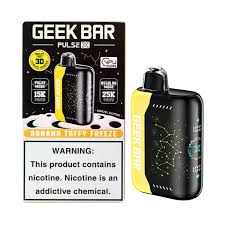
Best Charging Habits for the Geek Bar Pulse
The Geek Bar Pulse combines a 700mAh lithium-ion battery with dual mesh coils and an adjustable airflow system to deliver a high-performance vaping experience. Because the device relies on rechargeable power for features like Pulse Mode and its digital battery display, the way you charge it directly determines how long the battery remains reliable. Poor charging habits can cause premature degradation, inconsistent vapor production, or unexpected shutdowns. Establishing disciplined charging routines ensures the device delivers consistent performance throughout its entire lifespan.
Understanding the Battery Architecture and Its Vulnerabilities
The Geek Bar Pulse uses a lithium-ion battery, a chemistry known for energy density but also sensitivity to improper handling. Unlike older battery types, lithium-ion cells degrade faster when subjected to extreme temperatures, complete discharge, or prolonged overcharging. The device includes built-in overcharging protection to prevent voltage spikes, yet this safeguard does not eliminate the long-term stress caused by leaving the battery connected after it reaches full capacity. The USB Type-C port enables fast recharging, but fast charging also generates more heat, which can accelerate battery wear if the device is constantly charged this way without allowing cooling periods.
Physical stress compounds these chemical vulnerabilities. Dropping the device, exposing it to moisture, or storing it horizontally can damage internal connections or cause e-liquid leaks that compromise the battery compartment. Understanding that the battery's health depends on both electrical habits and environmental conditions helps users avoid common pitfalls that shorten the device's usable life.
Timing Recharges to Preserve Battery Chemistry
One of the most critical charging habits is recharging before the battery fully drains. Lithium-ion batteries suffer significant stress when pushed to 0% capacity, and repeated full discharges can permanently reduce their total charge capacity. The optimal practice is to reconnect the Geek Bar Pulse when the battery indicator shows 20–30% remaining. This range keeps the battery within a stable voltage window and minimizes the electrochemical strain that occurs during deep discharge cycles.
The device's 3D-curved display provides clear percentage readings, making it easy to monitor battery levels and recharge proactively. Waiting until the screen goes dark or the device stops firing means the battery has already been pushed beyond its safe operating range. By charging earlier, users preserve the battery's long-term health and avoid the sudden power loss that can occur when a deeply drained lithium-ion cell fails to recover even after reconnection.
Using Certified Charging Equipment for Stable Power Delivery
The quality of the charging cable and power source directly affects battery safety and longevity. The Geek Bar Pulse requires a USB-C connection, and using the included cable—or a high-quality third-party equivalent—ensures consistent voltage and current delivery. Cheap or counterfeit chargers often lack proper regulation, leading to voltage spikes, inconsistent power flow, or excessive heat that can damage the battery's internal structure.
A moderate-output charger, such as a standard 5V/2A smartphone adapter, is ideal for recharging the device without overwhelming it with excessive power. High-wattage fast chargers designed for larger devices can force more current than the battery is designed to accept, increasing heat generation and accelerating degradation. The device's internal charging circuit manages power input, but it cannot fully compensate for fundamentally unstable or incompatible external power sources. Using manufacturer-recommended equipment ensures the battery charges safely and efficiently.
Disconnecting Immediately After Full Charge to Avoid Overstress
Once the Geek Bar Pulse's display indicates 100% charge, the device should be disconnected from the power source immediately. Leaving the device on the charger overnight or for extended periods beyond full capacity keeps the battery at maximum voltage, which creates continuous electrochemical stress. Even with overcharging protection, this condition weakens the battery over time and reduces its total number of viable charge cycles.
The charging process for the Geek Bar Pulse typically completes within 60–90 minutes when using the original cable and a compatible charger. Monitoring the device during charging and unplugging it promptly when full prevents unnecessary strain. This simple habit is among the most effective ways to extend battery lifespan, as it eliminates one of the most common causes of lithium-ion degradation: prolonged exposure to peak voltage.
Managing Heat Generation During and After Charging
Heat is a primary factor in battery deterioration, and charging is one of the most heat-intensive operations for any lithium-ion device. To minimize thermal stress, charge the Geek Bar Pulse in a cool, well-ventilated area away from direct sunlight or heat sources. Avoid covering the device with clothing, blankets, or other materials that trap heat during charging. Letting the device cool naturally before and after charging reduces the cumulative thermal load on the battery.
Pulse Mode significantly increases power consumption and heat generation during use, which can leave the battery warmer than normal. If the device has been used intensively in Pulse Mode, allow it to cool completely before reconnecting it to power. Charging a hot battery accelerates internal degradation and increases the risk of performance issues. Consistent temperature management—both during use and charging—preserves the battery's structural integrity and maintains reliable power delivery.
Integrating Storage Practices That Support Battery Health
When the device is not in use for extended periods, proper storage becomes essential to maintaining battery health. Store the Geek Bar Pulse upright in a cool, dry environment with temperatures between 15–25°C (59–77°F), as lithium-ion batteries perform best at room temperature. Extreme heat or cold can permanently damage the battery's chemical composition. Keeping the device upright prevents e-liquid leaks that could seep into the battery compartment and cause corrosion.
During long-term storage, avoid letting the battery remain at 0% for extended periods, as this can cause irreversible capacity loss. If the device will be unused for weeks, charge it to approximately 50% before storing and check the level periodically. These practices align with best storage tips for lithium-ion devices and help ensure the battery remains functional when the device is retrieved. Proper storage complements good charging habits by preventing environmental damage that charging alone cannot address.
Balancing Usage Modes to Reduce Charging Frequency
The Geek Bar Pulse offers two operating modes that directly impact battery consumption. Regular Mode delivers cooler hits with lower power usage, extending both battery life and e-liquid capacity. Pulse Mode activates dual mesh coils for more intense vapor and richer flavor but drains the battery significantly faster. Relying heavily on Pulse Mode increases the frequency of charging required, which in turn increases the total number of charge cycles the battery experiences over time.
Reserving Pulse Mode for occasional use while primarily operating in Regular Mode reduces the overall charging burden on the battery. Fewer charge cycles mean less cumulative stress, which translates to longer battery lifespan. This approach does not mean avoiding Pulse Mode entirely, but rather using it strategically to balance performance desires with long-term battery health. Managing mode usage is a proactive strategy that complements proper charging habits by reducing how often the battery must be recharged.
Conclusion
Maintaining the Geek Bar Pulse's battery requires a disciplined approach that combines timely recharging, quality equipment, and careful environmental management. Recharging at 20–30% capacity, using certified USB-C cables, disconnecting immediately after full charge, and minimizing heat exposure form the core of effective battery care. These habits work together to reduce electrochemical stress and preserve the battery's capacity over hundreds of cycles.
The device's advanced features, including Pulse Mode and its digital display, enhance the vaping experience but also increase power demands. Using Regular Mode for everyday sessions and reserving Pulse Mode for occasional intensity helps reduce charging frequency and extends overall battery life. Proper storage practices further protect the battery when the device is not actively used.
By treating charging as a deliberate maintenance activity rather than a convenience, users ensure their Geek Bar Pulse delivers consistent performance, reliable vapor production, and accurate battery readings throughout its lifespan. This disciplined approach transforms routine charging into a foundation for long-term device reliability.